D-Link DVA-5592
by Wind Tre
DISPONIBILITÀ:
30/10/2017 Wind Tre Business
22/01/2018 WindHome & 3Fiber (ex Infostrada)
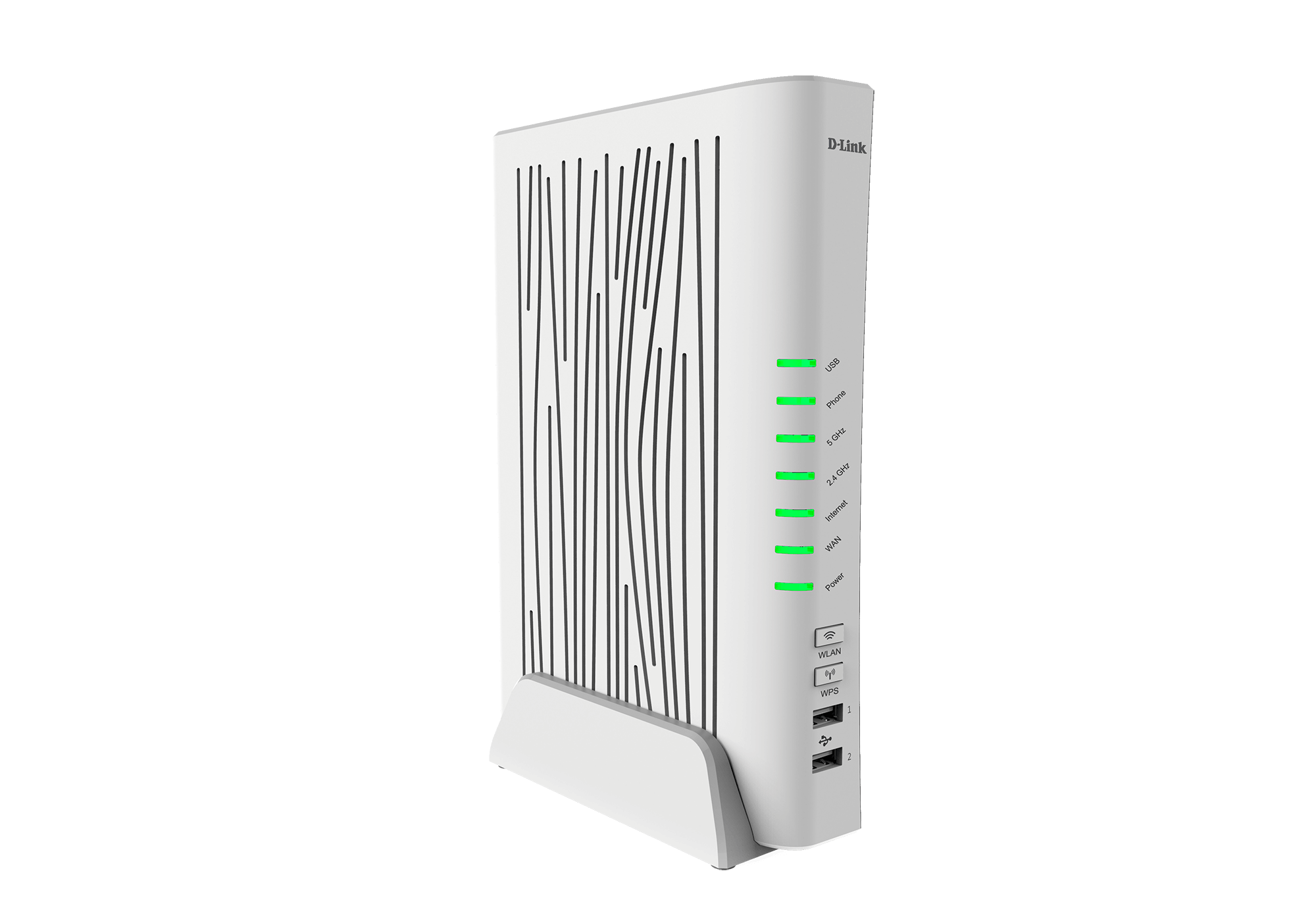
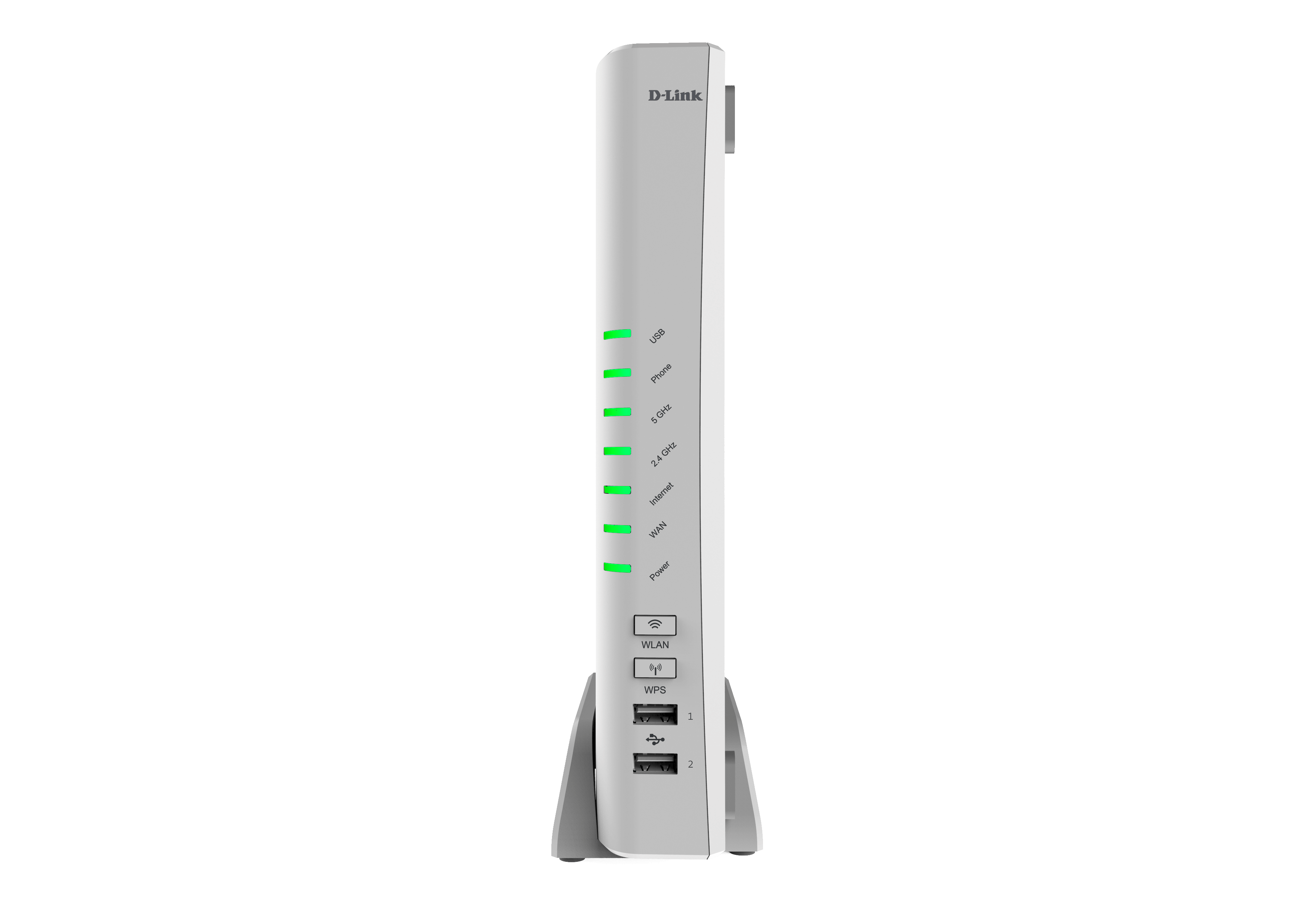
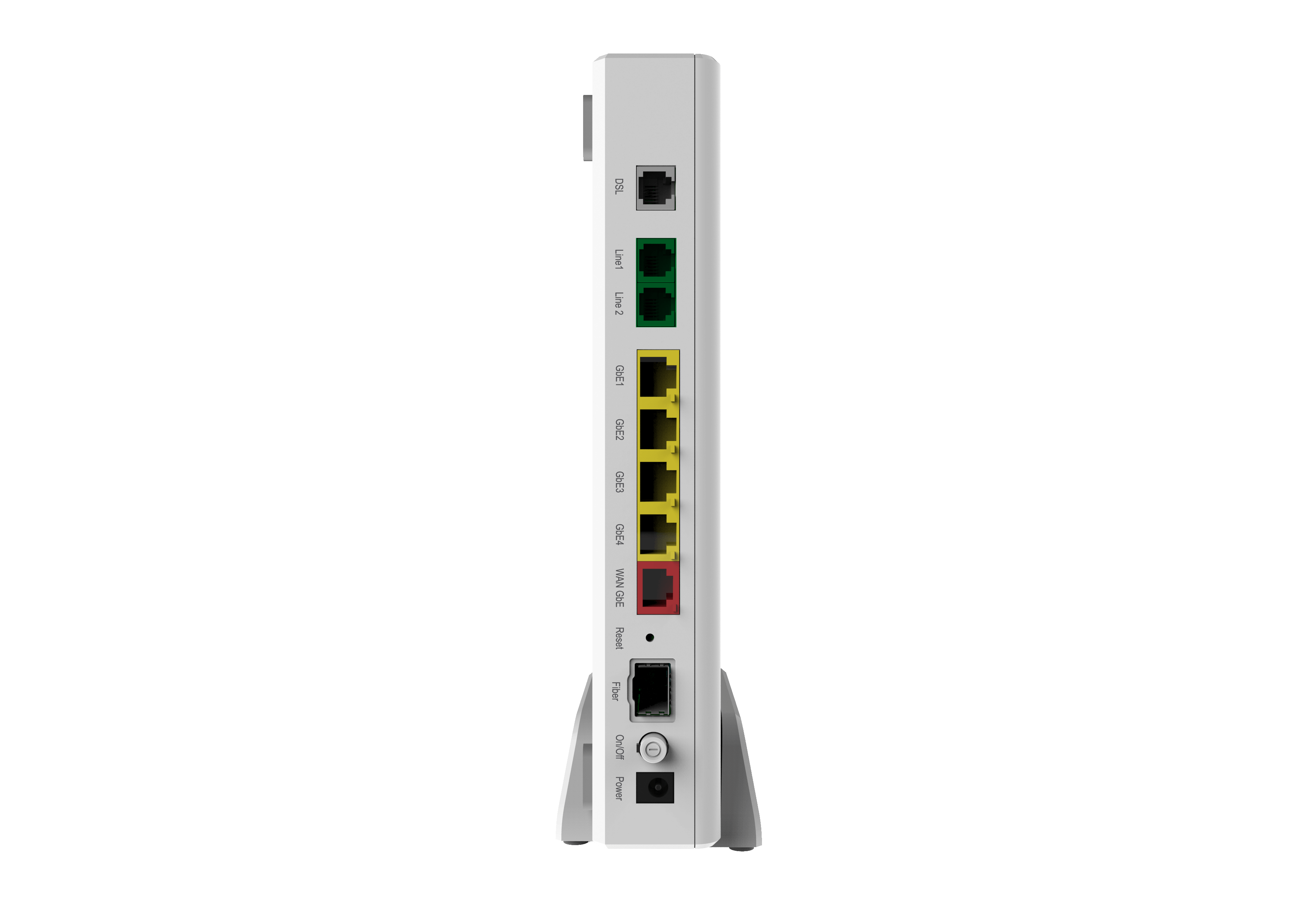
DVA-5592 A1 WI
(Broadcom BCM63136B0, ARM Cortex A9 Dual Core: 1000MHz; Total Memory: 256MB)
- Caratteristiche
• VDSL 2 (35b) fino a 200 Mbit/s
• Rete Wi-Fi ad alta velocità (Fino a 2000 Mbps: 1.700 AC + 300 N)
• 1 porta VDSL/ADSL
• 4 Porte LAN Gigabit
• 1 Porta WLAN GIGABIT
• 2 Porte USB per file sharing nella LAN
• 2 porte POTS telefoniche
• Firewall integrato
• Monitoraggio dell’elenco chiamate
• Staticizzazione IP per raggiungere da remoto la propria rete tramite Internet con incluso supporto gratuito D-Link Dynaminc DNS (dlinkddns)
Fonti Wind Tre: Assistenza aziende, Guida novità prodotti aziende, Guida vendita fibra aziende
- Panoramica funzionalità
- Introduzione
The DVA-5592 AC2000 VDSL2 VoIP Gigabit Modem Router is a highly integrated router with everything your home or small business needs for high-speed Internet access. It combines an ADSL2+/VDSL2 modem, Gigabit Ethernet Internet Port, 4G mobile Internet support, Voice over Internet Protocol (VoIP), and Gigabit wireless together in a single, easy to use product that shares an Internet connection for all your devices.
- Caratteristiche
• User-friendly GUI for web configuration
• Compatible with all standard Internet applications
• Industry standard and interoperable DSL interface
• WLAN with high-speed data transfer rates of up to 2000 Mbps*, compatible with IEEE 802.11n/g/b, 2.4GHz compliant equipment
• IP routing and bridging
• Asynchronous transfer mode (ATM) and digital subscriber line (DSL) support
• Packet Transfer Mode (PTM) and digital subscriber line (VDSL) support
• Point-to-point protocol (PPP)
• Network/port address translation (NAT/PAT)
• Quality of service (QoS)
• Wireless LAN security features: WPA/WPA2, 802.1x, RADIUS client
• Universal Plug and Play(UPnP)
• Web filtering
• 3G/4G Mobile WAN connection
• USB Mass Storage, SAMBA
• System statistics and monitoring
• VoIP Integration
- Maximum wireless signal rate derived from IEEE Standard 802.11a, 802.11b, 802.11g, 802.11n, and 802.11ac specifications. Actual data throughput will vary. Network conditions and environmental factors, including volume of network traffic, building materials and construction, and network overhead, lower actual data throughput rate. Environmental conditions will adversely affect wireless signal range.
- Requisiti di sistema
- Network Requirements
• ADSL Internet connection
• Wireless 802.11ac, n, g, b, or an Ethernet LAN port
- Web-based Configuration Utility Requirements
• Computer with the following:
• Windows 10/8.1/8/7/Vista/XP SP3 or Mac OS X 10.3 or higher
• An installed Ethernet adapter
- Browser Requirements:
• Internet Explorer 10 or higher, Edge 13 or higher
• Firefox 36 or higher
• Safari 8 or higher
• Chrome 40 or higher
- Windows® Users:
Make sure you have the latest version of Java installed. Visit www.java.com to download the latest version.
- Specifiche
- Device Interfaces
• One RJ-11 xDSL port
• One 10/100/1000 Gigabit Ethernet WAN port
• 802.11 ac/n/g/b Wireless LAN
• Four 10/100/1000 Gigabit Ethernet LAN ports
• Two USB 2.0 ports
• Two FXS VoIP ports
• One SFP port
• WPS Button
• Power Switch
• Power Connector
- Antenna Configuration
• 2.4 GHz: Two internal MIMO antennas
• 5 GHz: Three internal MIMO antennas
- Data Signal Rate
• 2.4 GHz: 300 Mbps
• 5 GHz: 1700 Mbps
- Standards
• IEEE 802.11ac
• IEEE 802.11n
• IEEE 802.11g
• IEEE 802.11b
• IEEE 802.3
• IEEE 802.3u
• IEEE 802.3ab
• IEEE 802.3az
• IEEE 802.3x
- ADSL Features
• T1.413i2, G.992.1
• G.dmt, G.992.2, G.lite
• G.992.3 (G.bis/ADSL2)
• G.992.5 (ADSL2+)
• ITU G.994.1 (G.hs)
• Annex L (Reach Extended ADSL2)
- VDSL Features
• ITU-T G.993.2 VDSL2
• Supports 8b, 12a, 12b, 17a, and 35b profiles
• Supports G.vector
• Supports ATM and PTM
• Supports G.INP
• Supports ATM forum UNI3.0, 3.1 and 4.0 permanent virtual circuits (PVCs)
• Supports CBR, UBR, VBR-rt, VBR-nrt
• Supports multiple PVCs
• Supports ITU-T i.610F4/F5 OAM
- Network Protocols
• RFC2684 multiprotocol Encapsulation over ATM Adaptation Layer 5
• RFC1483 multiprotocol Encapsulation over ATM Adaptation Layer 5
• RFC2364 PPP over ATM ALL5 (PPPoA)
• RFC2516 PPP over Ethernet (PPPoE)
• RFC1662 PPP in HDLC-like Framing
• RFC1332 PPP Internet Protocol Control Protocol
• RFC1577/2225 Classical IP and ARP over ATM (IPoA)
• RFC894 A Standard for the Transmission of IP Datagrams over Ethernet Networks
• RFC1042 A standard for the Transmission of IP Datagrams over IEEE 802 Networks
• MER (a.k.a IP over Ethernet over AAL5)
• Support ALG (Application Level Gateways)
- Routing Features
• RFC768 User Datagram Protocol (UDP)
• RFC791 Internet Protocol (IP)
• RFC792 Internet Control Message Protocol (ICMP)
• RFC793 Transmission Control Protocol (TCP)
• RFC826 An Ethernet Address Resolution Protocol (ARP)
• RFC862 Echo Protocol
• Support IP routing
• Support for transparent bridging
• Support for source and destination routing
• Support for port forwarding
• Support for Dynamic DNS
• Support for DNS as Client/Relay
• Support for DNS fallback
• Support for DHCP server/client
• Support for UPnP
• Support for NAT,NAPT
• Support for DMZ
• Support for IP QoS
• Support for IGMP proxy
• Support for IPv6
• Support for VPN Passthrough
• IPSec, L2TP, PPTP client
- Voice-over-IP (VoIP) Features
• Media Transport and Control
• RTP/RTCP
• G.711, G.729, G.726
• T.38 FAX relay
• Signalling
• SIP 2.0
• SDP
• In-band (voice encoded) or out-of-.band (over RTP) transport of DTMF signaling
• Supplementary Services
• CLIP, CNIP, CLIR
• Call Forwarding
• Call Hold / Resume
• Call Waiting / Call Transfer
• MWI
• Dial plan
- Management Features
• Device Configuration, Management and Update
• Web based GUI
• Embedded web server
• Command Line Interface via serial port, telnet, or SSH
• SNMP v1/v2
• PSI configuration file upload and download
• Menu-driven CLI via serial port or telnet
• Universal Plug and Play (UPnP) Internet Gateway Device (IGDv1.0)
• WAN Management Protocol (TR-069)
• Date/time update from SNTP Internet Time Server
- Security Features
• Service access control based on incoming interface: WAN or LAN
• Service access control based on source IP addresses
• PAP (RFC1334), CHAP (RFC1994), MSCHAPv1, MSCHAPv2 for PPP session (PPPoE, PPPoA)
• Stateful Packet Inspection (SPI) Firewall
• IP Fragment Overlap Protection Protects from DOS attacks from WAN: SYN flooding, IP surfing, Ping of Death, fragile, UDP ECHO (port 7), Tear Drop, Land, Smurf, Unreachable
• IP filter, Parental control, Access Control
- Dimensions
• 240 x 165 x 40 mm (9.45 x 6.5 x 1.57 in)
- Weight
• 425 g (15 oz)
- Power Supply
• 12 V DC, 3.0 A
- Temperature
• Operating: 5 to 40 °C (41 to 104 °F)
• Storage: -20 to 70 °C (-4 to 149 °F)
- Humidity
• Operating: 10% to 95% non-condensing
• Storage: 5% to 95% non-condensing
- Certifications
• CE
• RoHS
• Wi-Fi Certified
• WPS Setup
- ErP Power Usage
This device is an Energy Related Product (ErP) that automatically switches to a power-saving Network Standby mode within 1 minute of no packets being transmitted. It can also be turned off through a power switch to save energy when it is not needed.
Network Standby: 6.21 watts
Switched Off: 0.17 watts
- Documentazione
Scheda tecnica
- Manuale utente
Versione 2 4/2018 ITA
- Software
Scanner reti wireless
WiFiInfoView by NirSoft - Info
WiFiInfoView by NirSoft - Download
WiFiInfoView by NirSoft - File per lingua italiana
- Firmware
Firmware WindTre 19.12.2019 <- NEW
Firmware WindTre 23.08.2018
Firmware WindTre 05.04.2018 (FTP)
Firmware WindTre 29.01.2018
Firmware WindTre 09.09.2017 (Backup Forum ⬇️)
Download:
- Supporto
Pagina prodotto: D.LINK Italia
Sito FTP Europa
Supporto tecnico Taiwan TSD
Pagina supportio DLINK Italia
Assistenza Wind Tre Business
- Guide ufficiali Wind 3 e DLink
Impostazione rete WiFi ospiti (italiano)
Configurazione Dynamic DNS
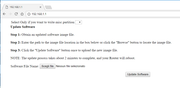
- Modalità di recupero (Recovery Mode)
Configurare il pc con indirizzo IP 192.168.1.10 e collegarlo al modem usando una porta LAN.
Accendere il router tenendo premuto il tasto reset per 10 secondi e aprire http://192.168.1.1
- Condivisione unità storage USB
Vedi pagina 27/28 manuale
D-Link Italia ha scritto:
A seguito di accordi commerciali tra D-Link e Wind3, l'assistenza post vendita dei dispositivi DSL-3782 (solo la versione venduta attraverso i negozi Wind3, identificabile dalla versione firmware WI_20170303 oppure WI_20160623) e degli IAD DVA-5582 & DVA-5592 è gestita completamente da Wind3. Per qualunque necessità di chiarimento, problematica di configurazione o sostituzione di un prodotto guasto si deve quindi contattare l'HelpDesk di Wind3.
- DHCP e impostazione di IP riservati
Per riservare una serie di IP nella funzione DHCP accedere a questa pagina del router
DHCP e impostazione di IP riservati
- Elenco dispositivi connessi alle reti WiFi 2.4 GHz e 5.0 GHz
Per visualizzare i dispositivi collegati alle rispettivi reti WiFi fare clic sui link qui sotto per accedere alle corrispondenti pagine dell'interfaccia web del DVA-5592.
Elenco dispositivi collegati alla rete 2.4 GHz
Elenco dispositivi collegati alla rete 5.0 GHz
..