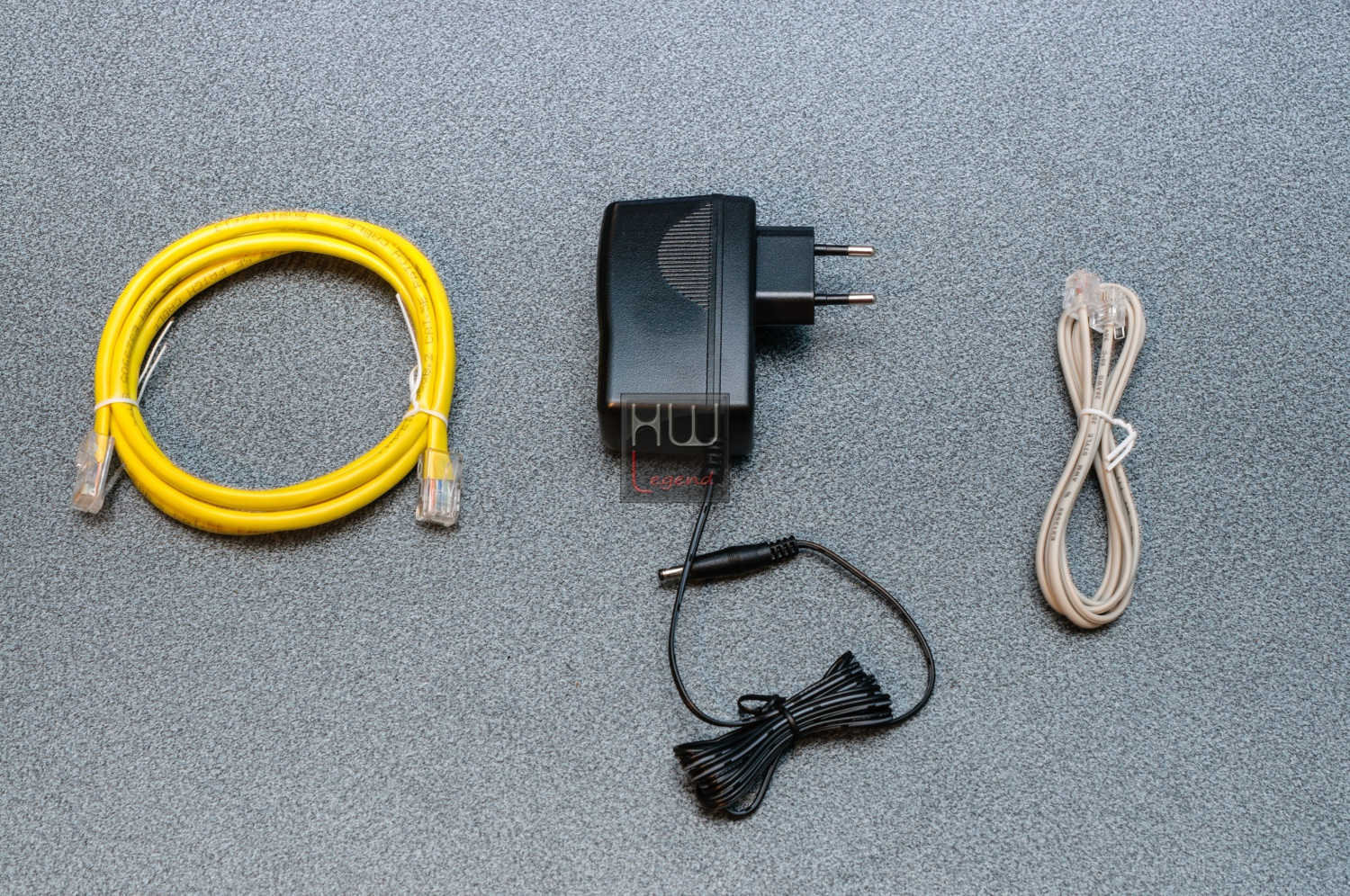
D-Link DSL-3782
Modem Router VDSL2/ADSL2+ (Mbps 200DL-20UL/20DL-1UL)
WiFi-AC 750 (Mbps 300@2,4 + 867@5 GHz)
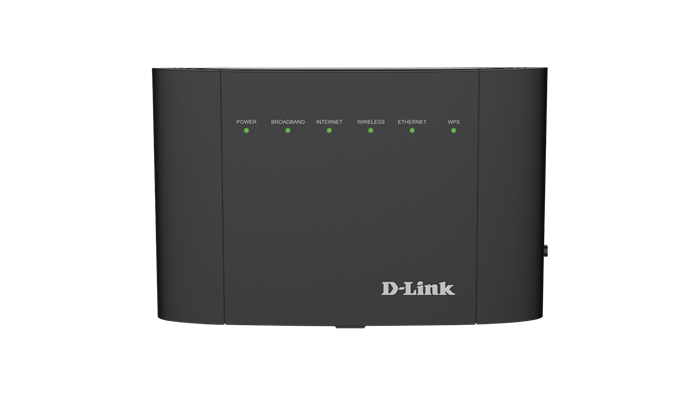
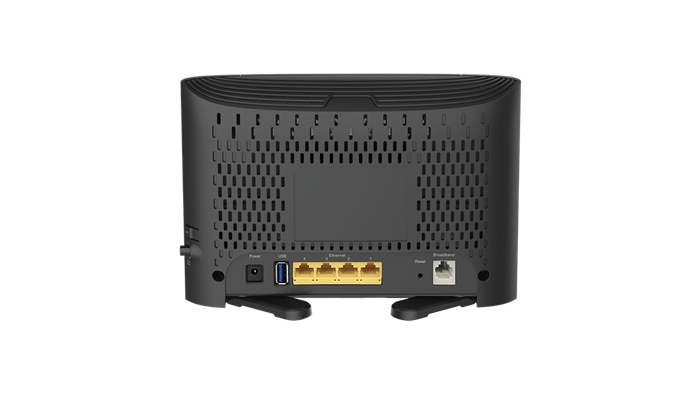
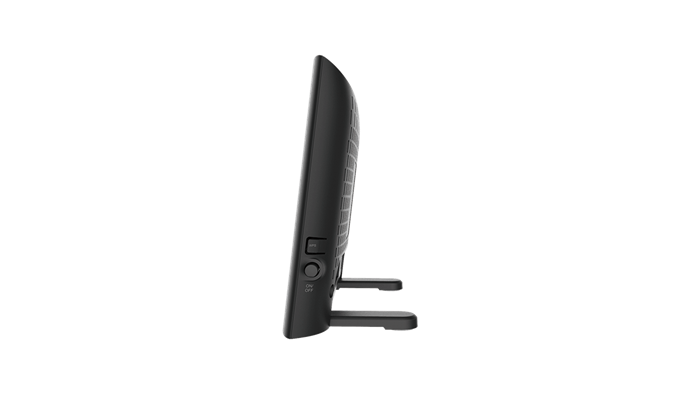
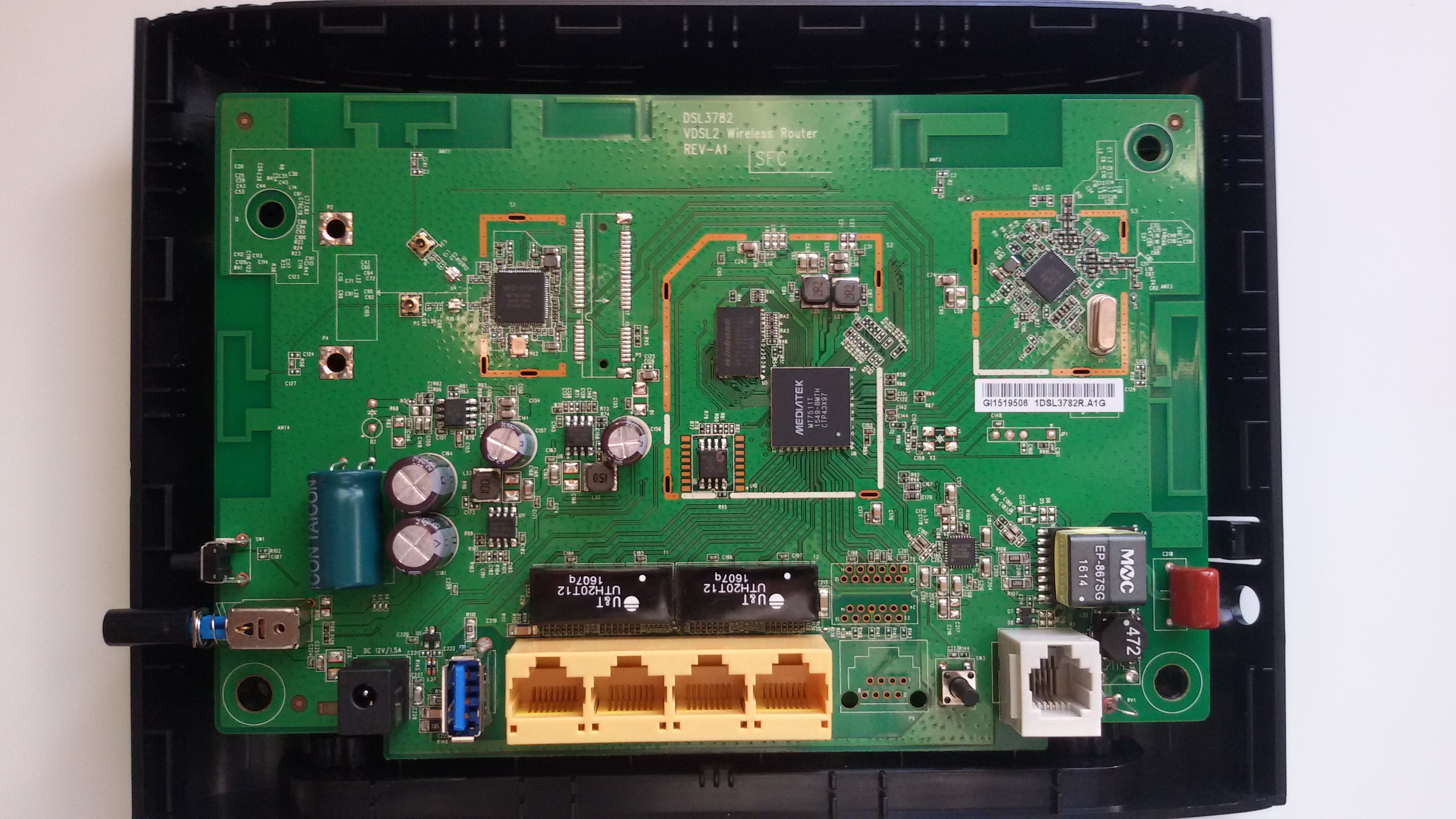
DSL-3782 A1 (Mediatek MT7511T)

Particolarità
High-Speed Internet
Latest VDSL standards provide transmission rates of up to 100 Mbps downstream for a superb Internet experience
Complete Internet Solution
A total solution that helps you connect, share, and enjoy your Internet connection with a single device that’s easy to set up and manage
Dual-Band Wireless AC
Stream HD multimedia across your home without interruption using the latest Wi-Fi technology, offering faster speeds and wider coverage
Caratteristiche
Connectivity
Built-in ADSL2+/VDSL2 modem for connecting to your high-speed broadband Internet connection
Four 10/100 Fast Ethernet LAN ports to connect wired devices for high-speed online activities
Fast 802.11ac wireless for high speed connections to all of your PCs and mobile devices
One USB 2.0 port to share media from a storage device
Security
Wi-Fi Protected Setup (WPS) to quickly and securely add devices to your network
Firewall protection
WPA/WPA2 encryption to secure your wireless traffic
Ease of Use
Easy web-based setup wizard
Panoramica
The DSL-3782 Wireless AC1200 Dual-Band VDSL/ADSL Modem Router is a versatile, highperformance router for the home and small office. With integrated VDSL, supporting download speeds of up to 100 Mbps, the latest Wireless AC Wi-Fi technology, firewall protection, Quality of Service (QoS) and 4 Fast Ethernet switch ports, the DSL-3782 provides all the functions that a home or small office needs to establish a secure and high-speed connection to the Internet.
Fast and Reliable Home Network
The D-Link DSL-3782 Wireless AC1200 Dual-Band VDSL/ADSL Modem Router creates a blazing fast home network that connects all of your devices to your broadband Internet connection. Concurrent dual-band 802.11ac brings you the future of high-bandwidth wireless connectivity, allowing you to stream HD video, make Internet voice calls, and surf the Internet from every corner of your home without interruption. Fast Ethernet ports provide high-speed wired connections for up to four PCs or other devices. It’s stylish, easy to use, and provides you with a reliable network for today and tomorrow.
Smooth Streaming with Wireless AC
The DSL-3782 uses Wireless AC technology, which provides combined Wi-Fi speed of up to 1.2 Gbps (867 AC + 300 N). The router operates on both the 2.4 GHz and 5 GHz wireless bands at the same time using concurrent dual-band technology and internal antennas. This allows you to browse the web, chat and e-mail using the 2.4 GHz band on your smartphone or tablet, while simultaneously streaming digital media, playing online games, or making Internet voice calls using the 5 GHz band on your computer.
Works with Your Existing Devices
The Wireless AC1200 Dual-Band VDSL/ADSL Modem Router is backward compatible with existing 802.11n, 802.11g and 802.11b wireless equipment, ensuring compatibility with a wide range of wireless devices so your older devices are still relevant. In addition, it includes four Ethernet ports for connecting Ethernet-enabled PCs, print servers, and other devices, making the DSL-3782 the logical choice for users wanting a versatile and fast Wi-Fi modem router.
File Sharing Right at Your Fingertips
The DSL-3782 lets you connect a USB storage device and instantly share documents, movies, pictures, and music. You can put your music library on a USB drive and share it with your entire home. You can show photos on the living room TV while a family member watches a movie on their computer. You can stream media files to multiple devices without interruption, or save them to your device for offline playback. The intuitive interface lets anyone immediately connect to a variety of entertainment options stored securely on your own storage device.
Easy to Set Up and Secure
Setting up the DSL-3782 is simple with the easy setup wizard. Simply log onto the web-based configuration through your browser and follow a few easy steps to get your home network up and running. You can also set up a secure network with the touch of a button using Wi-Fi Protected Setup (WPS). Simply press the respective WPS buttons on each devices to instantly establish a secure connection to a new device. Rest assured that your network is secure with WPA/WPA2 wireless encryption and built-in dual active firewalls (SPI and NAT) so you can shop online and do your online banking with confidence.
Specifiche
Device Interfaces
One RJ-11 Broadband port
802.11ac/n/g/b Wireless LAN
Four 10/100 Fast Ethernet LAN ports
One USB 2.0 port
Antenna Type
Two internal dual-band antennas
ADSL/ADSL2/ADSL2+ Standards
G.dmt
G.lite
G.hs
VBR
ITU-T G.992.3
ITU-T G.992.4
ITU-T G.992.5
VDSL Standards
ITU-T G.993.1
ITU-T G.993.2
8a, 8b, 8c, 8d, 12a, 12b, 17a, 30a
Wireless Signal Rate
2.4 GHz: 300 Mbps
5 GHz: 867 Mbps
Standards
IEEE 802.11ac
IEEE 802.11n
IEEE 802.11g
IEEE 802.11b
IEEE 802.3
IEEE 802.3u
IEEE 802.3az
IEEE 802.3x
Minimum System Requirements
Windows XP SP3 or Mac OS X 10.4 or higher
Microsoft Internet Explorer 8 or higher, Edge 20.10 or higher, Firefox 20 or higher, Chrome 17 or higher, Safari 4 or higher, or other Java-enabled browser
Ethernet or Wireless network interface
Subscription with an Internet Service Provider (ISP)
Security
WPA & WPA2 (Wi-Fi Protected Access)
Wi-Fi Protected Setup (WPS) - PIN/PBC
Advanced Features
Multi-language web setup wizard
UPnP support
Multiple PVC (up to 8)
Dual active firewall
VPN pass-through/multi-session PPTP/L2TP/IPSec
802.1p QoS
Dimensions
210 x 150 x 30.75 mm (8.27 x 5.91 x 1.21 inches)
Weight
113.05 grams (3.98 ounces)
Power
Input: 100 ~ 240 V
Output: 12 V / 1.5A
Temperature
Operating: 0 to 45 °C (32 to 113 °F)
Storage: -20 to 70 °C (-4 to 158 °F)
Humidity
10 % to 95 % non-condensing
Certifications
CE
DLNA
Wi-Fi Certified
LVD
BT OpenReach SIN498
D-Link European Headquarters Datasheet updated June 2016 & EU site
Documentazione
Scheda tecnica EN
Guida installazione: IT, Multi
Manuale utente: EN, Wind IT
Software
DSL-3782_sw_reva_GPLcode.tar.gz
Firmware
EUROPE (Europa)
DSL-3782 A1 1.03 EU BETA 20191009 con nota edizione
DSL-3782 Ax 1.03 EU 20180404 con nota edizione
DSL-3782 Ax 1.03 EU BETA 20180327 | Nota edizione
DSL-3782 A1 1.02 EU 20170503
DSL-3782 A1 1.01 EU 20160728
WIND (Infostrada)
ATTENZIONE!!! SOLO per i DSL-3782 in comodato d'uso/acquistati da Infostrada!
DSL-3782 A1 WI BETA 20191206 con nota edizione
DSL-3782 A1 WI 20170303
DSL-3782 A1 WI 20160623
TT TalkTalk (Regno Unito)
DSL-3782 A1 1.10 TT BETA 20191205 con nota edizione
Abbandono del protocollo FTP nei browser per PC
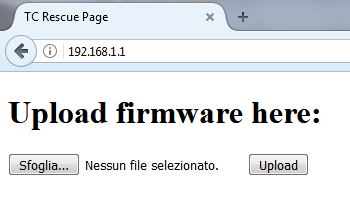
Modalità di recupero (Recovery Mode/TC Rescue Page)
POWER, INTERNET: Rosso
BROADBAND, WIRELESS, ETHERNET, WPS: Verde
D-Link Europe ha scritto:
The procedure to go into the recovery mode for DSL-3682 and DSL-3782 is different to some other DSL products. AFTER you power on the device, you should press the reset button ONCE and let go (not hold it down). The LED on the front should be all lit solid, with the Power and Internet in red and the remainder in green. After it boots, if you set the IP address on your computer to 192.168.1.2, you will be able to access the recovery screen for uploading firmware by entering 192.168.1.1.
N.B. Per attivare la modalità di recupero. Premere il pulsante per attaccare la corrente al modem, aspettare che tutti i LED si accendano per un attimo durante l'avvio e, in quel momento, premere Reset per pochi secondi per farli restare accesi fissi; se non accade spegnere e riprovare per ottenere lo schema di accensione descritto.
Aggiornamento da Recovery a cura di kaomao (L'unico nome del file accettato è "tclinux.bin")
Supporto internazionale D-Link
Pagina prodotto: Italia, Europa
Sito FTP: Europa, Germania, US-SEC_ADV
Supporto Tecnico: Taiwan TSD
D-Link Italia ha scritto:
A seguito di accordi commerciali tra D-Link e Wind3, l'assistenza post vendita dei dispositivi DSL-3782 (solo la versione venduta attraverso i negozi Wind3, identificabile dalla versione firmware WI_20170303 oppure WI_20160623) e degli IAD DVA-5582 & DVA-5592 è gestita completamente da Wind3. Per qualunque necessità di chiarimento, problematica di configurazione o sostituzione di un prodotto guasto si deve quindi contattare l'Help Desk di Wind3.