D-Link DSL-3682
Modem Router VDSL2/ADSL2+ (Mbps 100DL-20UL/20DL-1UL)
WiFi-AC 750 (Mbps 300@2,4 + 433@5 GHz)
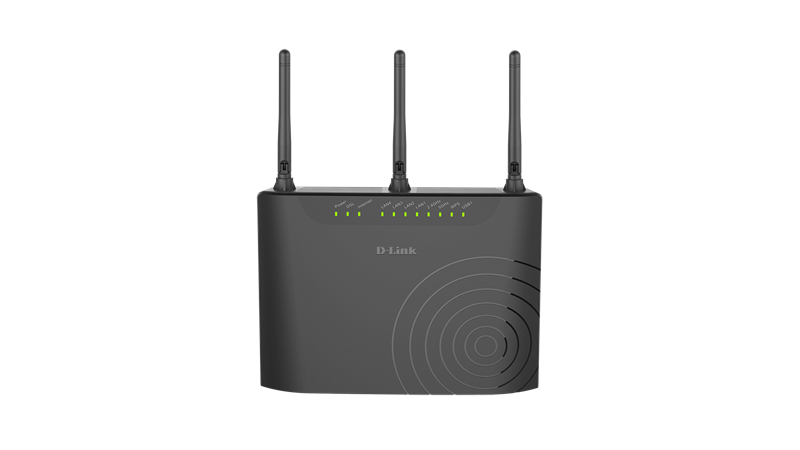
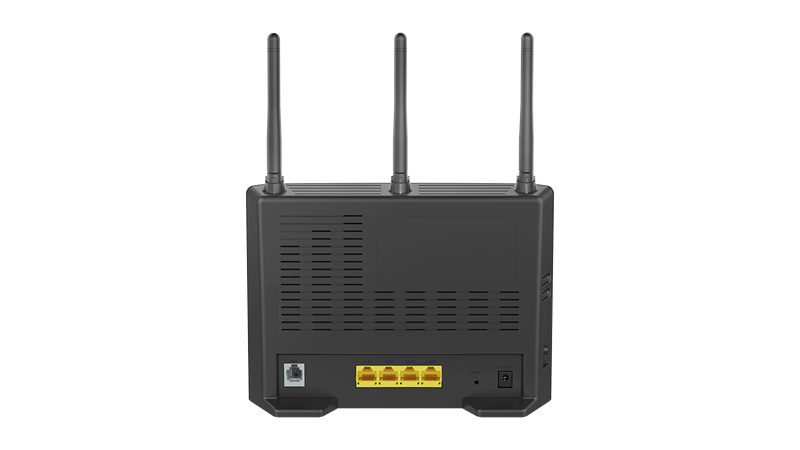
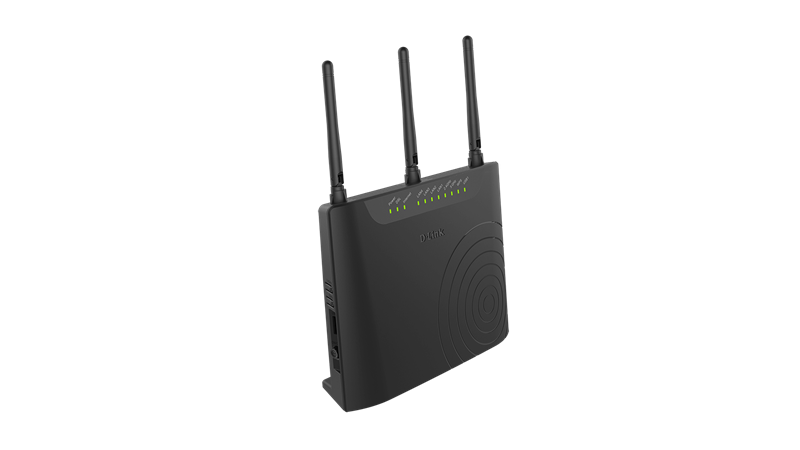
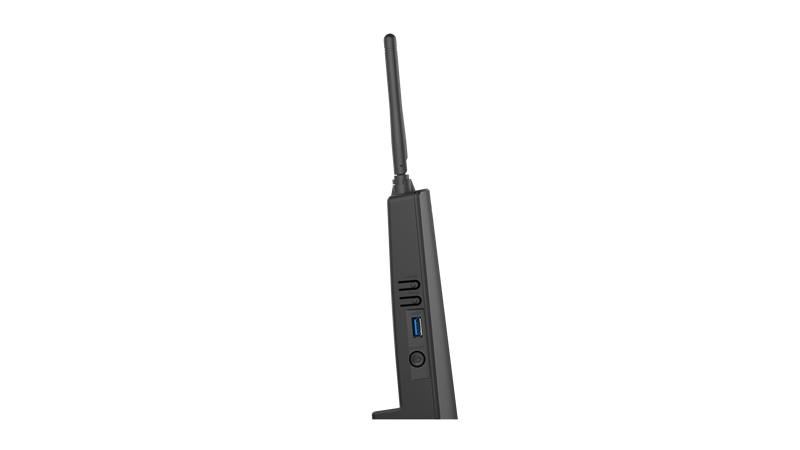
DSL-3682 A1 (Mediatek MT7510)

Particolarità
Complete Internet Solution
A total solution that helps you connect, share, and enjoy your Internet connection with a single device that’s easy to set up and manage
Latest Wireless AC Technology
Enjoy combined wireless speeds of up to 750 Mbps and increased range thanks to the latest 802.11ac wireless technology
Dual-Band Wi-Fi for Seamless Performance
Access your network via two concurrent wireless bands for seamless performance no matter what you are doing
Caratteristiche
High-Speed Connectivity
The latest 802.11ac wireless specification delivers blazing fast wireless connectivity with increased range and reliability
RJ11 VDSL/ADSL port for speedy Internet access
Four 10/100 Fast Ethernet LAN ports give you high-speed wired connectivity
Flexible Bandwidth
Concurrent dual-band wireless for combined connections of up to 750 Mbps
QoS engine to prioritise important traffic and deliver uninterrupted bandwidth
Setup and Management
Setup wizard to guide you through the configuration process
Firewall and access control options to prevent attacks and restrict access to your network
Panoramica
The DSL-3682 Wireless AC750 Dual-Band VDSL/ADSL Modem Router is a versatile, high-performance router for the home and small office. With integrated VDSL, supporting download speeds of up to 100 Mbps, the latest Wireless AC Wi-Fi technology, firewall protection, Quality of Service (QoS) and 4 Fast Ethernet switch ports, the DSL-3682 provides all the functions needed to establish a secure and high-speed connection to the Internet.
Fast and Reliable Home Network
This Modem Router creates a blazing fast home network that connects all of your devices to your broadband Internet connection. Concurrent dual-band 802.11ac brings you the future of high-bandwidth wireless connectivity, allowing you to stream HD video, make Internet voice calls, and surf the Internet from every corner of your home without interruption. Fast Ethernet ports provide high-speed wired connections for up to four PCs or other devices. It's stylish, easy to use, and provides you with a reliable network for today and tomorrow.
Smooth Streaming with Wireless AC
The DSL-3682 uses Wireless AC technology, which provides a combined Wi-Fi speed of up to 750Mbps. The router operates on both the 2.4 GHz and 5 GHz wireless bands at the same time using concurrent dual-band technology and internal antennas. This allows you to browse the web, chat and e-mail using the 2.4 GHz band on your smartphone or tablet, while simultaneously streaming digital media, playing online games, or making Internet voice calls using the 5 GHz band on your computer.
File Sharing Right at Your Fingertips
The DSL-3682 lets you connect a USB storage device and instantly share documents, movies, pictures, and music. You can put your music library on a USB drive and share it with your entire home. You can show photos on the living room TV while a family member watches a movie on their computer. You can stream media files to multiple devices without interruption, or save them to your device for offline playback. The intuitive interface lets anyone immediately connect to a variety of entertainment options stored securely on your own storage device.
Works with Your Existing Devices
The Wireless AC750 Dual-Band VDSL/ADSL Modem Router is backward compatible with existing 802.11n, 802.11g and 802.11b wireless equipment, ensuring compatibility with a wide range of wireless devices. In addition, it includes four Ethernet ports for connecting Ethernet-enabled PCs, print servers, and other devices, making the DSL-3682 the logical choice for users wanting a versatile and fast Wi-Fi modem router.
Easy to Set Up and Secure
Getting started is simple with the easy setup wizard. Simply log onto the web-based configuration through your browser and follow a few easy steps to get your home network up and running. You can also set up a secure network with the touch of a button using Wi-Fi Protected Setup (WPS). Simply press the respective WPS buttons on each devices to instantly establish a secure connection to a new device. Rest assured that your network is secure with WPA/WPA2 wireless encryption and built-in dual active firewalls (SPI and NAT) so you can shop online and do your online banking with confidence.
Specifiche
Device Interfaces
802.11 ac/n/g/b Wireless LAN
Four 10/100 Fast Ethernet LAN ports
One RJ-11 Broadband port
One USB 2.0 port
ADSL Compliance
ADSL Standards:
- Multi-mode
- Full-rate ANSI T1.413 Issue 2
- ITU-T G.992.1 (G.dmt) Annex A/C/I
- ITU-T G.992.2 (G.lite) Annex A/C
- ITU-T G.994.1 (G.hs)
ADSL 2 Standards:
- ITU-T G.992.3 (G.dmt.bis) Annex A/J/L/M
ADSL 2+ Standards:
- ITU-T G.992.5 Annex A/L/M[/color]
VDSL Compliance
ITU-T G.993.1
ITU-T G.993.2
8a, 8b, 8c, 8d, 12a, 12b, 17a
ATM/PPP Support
Multiprotocol over AAL5 (RFC 1483/2684)
Bridged and routed Ethernet encapsulation
LLC encapsulation
VC-based multiplexing
ATM Forum UNI3.1/4.0 PVC (up to 8 PVCs)
ATM Cell Format ITU-T Rec. I.361
ATM Adaptation Layer Type 5 (AAL5)
PPPoA (RFC2364)
PPPoE (RFC2516)
PPP Link Control Protocol (RFC 1661)
Internet Protocol Control Protocol (RFC 1332)
PPP Authentication Protocol (RFC 1334)
PPP Challenge Handshake Authentication Protocol (RFC 1994)
Microsoft PPP CHAP extensions (RFC 2433)
WLAN Specifications
Wi-Fi Protected Setup (WPS)
Multiple SSIDs
Automatic rate adapting
Auto channel selection
WMM support
64-bit & 128-bit WEP
WPA-PSK & WPA2-PSK
MAC address filtering
Antenna Type
Three fixed external antennas
Network Services
IPv4
DHCP server/client/relay
DNS relay
Dynamic DNS (DDNS)
Routing Information Protocol (RIP) v1/v2
NAT AGLs:
- PPTP
- L2TP
- FTP
- RTSP (RealTime Streaming Protocol)
- SIP v1/v2
- IPsec
Internet Control Message Protocol (ICMP)
Virtual server (Port forwarding)
Simple Network Time Protocol (SNTP)
802.1d MAC Bridge (up to 256*8 MAC addresses)
QoS:
- IPP/ToS
- DSCP QoS in 4-priority queues
- Application QoS in 4-priority queues
- Strict priority
- VLAN QoS in 4-priority queues
- QoS remarking based on IPP/ToS, DSCP and 802.1p
- TOS transparency through NAT
- Mapping to queue according to DSCP bits and physical port
- 802.1Q
IGMP proxy v1/v2
IGMP snooping v1/v2/v3
Standards
IEEE 802.11ac
IEEE 802.11n
IEEE 802.11g
IEEE 802.11b
IEEE 802.3
IEEE 802.3u
Minimum System Requirements
Windows 8/7/Vista/XP SP3 or Mac OS X 10.4 or higher
Microsoft Internet Explorer 6 or higher, Firefox 1.0 or higher, Safari 1.2 or higher, or other Java-enabled browser
Ethernet network interface
Subscription with an Internet Service Provider (ISP)
Universal Plug and Play Support
UPnP based auto-configuration
UPnP based port forwarding
UPnP IGD 1.0
Device Management
Web configuration
Telnet management
Webpage/TFTP firmware upgrade
Diagnostic tools for ADSL and IP Ping
Advanced Features
Dual-active firewall:
- Network Address Translation (NAT)
- Stateful Packet Inspection (SPI)
UPnP support
802.1p QoS
Dimensions
198 x 146 x 54 mm (7.79 x 5.74 x 2.12 inches)
Weight
302 grams (9.6 oz)
Power
Input: 100 ~ 240 V AC
Output: 12 V DC, 1A
Temperature
Operating: 0 to 40 °C (32 to 104 °F)
Storage: -20 to 65 °C (-4 to 149 °F)
Humidity
5 % to 95 % non-condensing
Certifications
CE
Wi-Fi
Wi-Fi Protected Setup (WPS)
D-Link European Headquarters Datasheet updated September 2016 & EU site
Documentazione
Scheda tecnica
Guida installazione: 1.00EU, 1.10EU
Manuale utente: Inglese (1.0 20161018; 1.10 20180605), Francese, Spagnolo
Software
DSL-DSL-3682_sw_reva_GPLcode.tar.gz
Firmware
DSL-3682 A1 1.01 EU 20170719
DSL-3682 A1 1.00 EU 20160912
N.B. Durante l'aggiornamento il LED Power è rosso lampeggiante.
Modalità di recupero (Recovery Mode)
Power, Internet: Rosso
DSL, LAN1-4, USB1: Verde
WPS: Blu
2.4GHz, 5GHz: spento
D-Link Europe ha scritto:
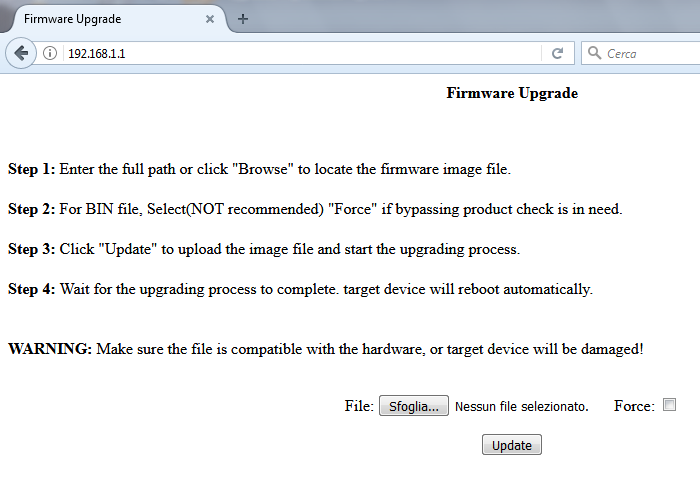
The procedure to go into the recovery mode for DSL-3682 and DSL-3782 is different to some other DSL products. AFTER you power on the device, you should press the reset button ONCE and let go (not hold it down). The LED on the front should be all lit solid, with the Power and Internet in red and the remainder in green. After it boots, if you set the IP address on your computer to 192.168.1.2, you will be able to access the recovery screen for uploading firmware by entering 192.168.1.1.
N.B. L'attivazione della modalità di recupero può risultare più difficoltosa. Appena acceso, conviene aspettare che il LED blu WPS si accenda per un secondo durante l'avvio e, in quel momento, premere Reset fino a che tutti gli altri non restano accesi; se non accade spegnere e riprovare fino a quando non si ottiene l'accensione di tutti i LED secondo lo schema sopra.
Supporto internazionale D-Link
Pagina prodotto: Italia, Europa
Sito FTP: Europa, Germania
Supporto Tecnico: Taiwan TSD, Italia, Germania


