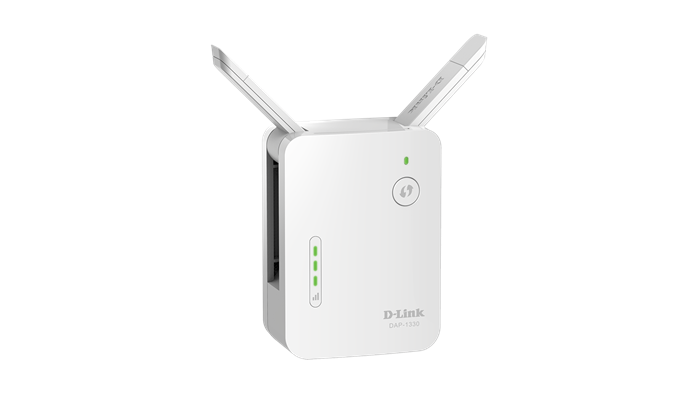
Pubblicato firmware DAP-1330 A1 1.00 Build 21 20151106.
Project Name: DAP-1330
HW version: A1
Region/OEM code: Default
WLAN Domain: US/NA / FCC
Channel List:
2.4GHz: 1, 2, 3, 4, 5, 6, 7, 8, 9, 10, 11
Firmware Query URL: http://wrpd.dlink.com/router/firmware/query.aspx?model= DAP-1330_Ax_Default
Flash size: 8MB
DRAM size: 64MB
=======================================================================
Firmware: v1.00 Build: 21
Hardware: A1
Date: Nov, 6, 2015
Firmware External Version: V1.00
Firmware Internal Version: V1.00b21
Date: Fri, 6 Nov 2015
Kernel: 2.6.31, B0015, Date=Thu, 15 Oct, 2015
Apps: 1.1, B0139, Date=Fri, 6 Nov, 2015
WLAN Driver: AR9531, 10.2-00082-4, B0020, Date=Fri, 23 Oct, 2015
Checksum: 0x06610A76
Problems Resolved:
1. Fixed the Save button did not work when users clicked on it
Enhancements:
=======================================================================
Firmware: v1.00 Build: 20
Hardware: A1
Date: Nov, 5, 2015
Firmware External Version: V1.00
Firmware Internal Version: V1.00b20
Date: Thu, 5 Nov 2015
Kernel: 2.6.31, B0015, Date=Thu, 15 Oct, 2015
Apps: 1.1, B0138, Date=Thu, 5 Nov, 2015
WLAN Driver: AR9531, 10.2-00082-4, B0020, Date=Fri, 23 Oct, 2015
Checksum: 0x06622021
Problems Resolved:
1. Fixed unable to display GUI when the browser was German
2. Fixed users could access version.txt without Admin login
Enhancements:
=======================================================================
Firmware: v1.00 Build: 19
Hardware: A1
Date: Oct, 27, 2015
Firmware External Version: V1.00
Firmware Internal Version: V1.00b19
Date: Tue, 27 Oct 2015
Kernel: 2.6.31, B0015, Date=Thu, 15 Oct, 2015
Apps: 1.1, B0137, Date=Tue, 27 Oct, 2015
WLAN Driver: AR9531, 10.2-00082-4, B0020, Date=Fri, 23 Oct, 2015
Checksum: 0x06617720
Problems Resolved:
1. Fixed WPS did not work when the security of extended wifi was none.
2. Fixed unable to run WPS on Wizard when DUT was set to the Ethernet mode
3. Fixed unable to upgrade firmware and configuration file on Safari
4. Fixed unable to disable the extended wifi
5. Fixed displaying duplicating client information on the Connected Clients list
Enhancements:
=======================================================================
Firmware: v1.00 Build: 18
Hardware: A1
Date: Oct, 24, 2015
Firmware External Version: V1.00
Firmware Internal Version: V1.00b18
Date: Sat, 24 Oct 2015
Kernel: 2.6.31, B0015, Date=Thu, 15 Oct, 2015
Apps: 1.1, B0135, Date=Fri, 23 Oct, 2015
WLAN Driver: AR9531, 10.2-00082-4, B0020, Date=Fri, 23 Oct, 2015
Checksum: 0x0661E3A1
Problems Resolved:
1. Fixed WPS did not work when the security of Extended WiFi was none.
2. Fixed the HT20/40 Coexistence did not work
3. Fixed unable to display the client information when the client’s mac address was not in IEEE’s mac list
4. Fixed unable to complete the Setup Wizard when running WPS with an uplink device which channel was not as same as DUT’s current channel
5. Fixed sometimes unable to find DUT’s SSID after configuring the Network Settings
Enhancements:
=======================================================================
Firmware: v1.00 Build: 17
Hardware: A1
Date: Oct, 18, 2015
Firmware External Version: V1.00
Firmware Internal Version: V1.00b17
Date: Sun, 18 Oct 2015
Kernel: 2.6.31, B0015, Date=Thu, 15 Oct, 2015
Apps: 1.1, B0134, Date=Fri, 16 Oct, 2015
WLAN Driver: AR9531, 10.2-00082-4, B0019, Date=Sat, 17 Oct, 2015
Checksum: 0x0661B7C4
Problems Resolved:
1. Fixed DUT was unable to connect to router whose channel was greater than channel 6
Enhancements:
=======================================================================
Firmware: v1.00 Build: 16
Hardware: A1
Date: Oct, 16, 2015
Firmware External Version: V1.00
Firmware Internal Version: V1.00b16
Date: Fri, 16 Oct 2015
Kernel: 2.6.31, B0015, Date=Thu, 15 Oct, 2015
Apps: 1.1, B0134, Date=Fri, 16 Oct, 2015
WLAN Driver: AR9531, 10.2-00082-4, B0018, Date=Fri, 16 Oct, 2015
Checksum: 0x06611D2A
Problems Resolved:
1. Removed the proxy station function
2. Fixed the tx power was limited by wireless driver in AU domain
Enhancements:
=======================================================================
Firmware: v1.00 Build: 15
Hardware: A1
Date: Oct, 14, 2015
Firmware External Version: V1.00
Firmware Internal Version: V1.00b15
Date: Wed, 14 Oct 2015
Kernel: 2.6.31, B0014, Date=Tue, 01 Sep, 2015
Apps: 1.1, B0131, Date=Wed, 14 Oct, 2015
WLAN Driver: AR9531, 10.2-00082-4, B0016, Date=Wed, 14 Oct, 2015
Checksum: 0x0663B1BB
Problems Resolved:
1. Fixed TX packet of WiFi and Extended WiFi were always zero
2. Fixed wireless clients were unable to obtain IP address after the wireless clients had been disconnected from DUT and reconnected back to DUT a few times
3. Fixed DUT rebooted automatically in heavy traffic
4. Fixed the IPv6 DNS addresses would be removed when DUT renewed its IPv4 address
5. Supported Malaysia and India in D-Link Wi-FI frequency table
Enhancements:
=======================================================================
Firmware: v1.00 Build: 14
Hardware: A1
Date: Oct, 1, 2015
Firmware External Version: V1.00
Firmware Internal Version: V1.00b14
Date: Thu, 1 Oct 2015
Kernel: 2.6.31, B0014, Date=Tue, 01 Sep, 2015
Apps: 1.1, B0127, Date=Thu, 1 Oct, 2015
WLAN Driver: AR9531, 10.2-00082-4, B0015, Date=Mon, 21 Sep, 2015
Checksum: 0x06631110
Problems Resolved:
1. Fixed the dhcp server did not be terminated when DUT in factory default was connected to router by Ethernet and then rebooted router
2. Fixed incorrect WPS led behavior when DUT in factory default was connected to router by Ethernet and pushed the WPS button and then waited for time out
3. Changed the WPS behavior. When DUT in factory default was connected to router by Ethernet, user pushed the WPS button and only AP's WPS would be executed
Enhancements:
=======================================================================
Firmware: v1.00 Build: 13
Hardware: A1
Date: Sep, 24, 2015
Firmware External Version: V1.00
Firmware Internal Version: V1.00b13
Date: Thu, 24 Sep 2015
Kernel: 2.6.31, B0014, Date=Tue, 01 Sep, 2015
Apps: 1.1, B0126, Date=Thu, 24 Sep, 2015
WLAN Driver: AR9531, 10.2-00082-4, B0015, Date=Mon, 21 Sep, 2015
Checksum: 0x066244E3
Problems Resolved:
1. Fixed the WPS page on Wizard was broken on IE 9
2. Fixed after the uplink router changed IPv6 mode, DUT would not be able to obtain IPv6 DNS address
3. Fixed unable to access DUT when DUT was in AP mode and it did not obtain any IP address in three minutes
Enhancements:
=======================================================================
Firmware: v1.00 Build: 12
Hardware: A1
Date: Sep, 22, 2015
Firmware External Version: V1.00
Firmware Internal Version: V1.00b12
Date: Tue, 22 Sep 2015
Kernel: 2.6.31, B0014, Date=Tue, 01 Sep, 2015
Apps: 1.1, B0124, Date=Tue, 22 Sep, 2015
WLAN Driver: AR9531, 10.2-00082-4, B0015, Date=Mon, 21 Sep, 2015
Checksum: 0x0662C84A
Problems Resolved:
1. Fixed the WPS page on Wizard was broken on IE 11
2. Fixed the new firmware notification did not display correctly on IE 9
3. Fixed DUT’s uplink wireless disconnected from an uplink router after doing WPS for DUT’s extended wireless
4. Fixed IPv6 Autoconfiguration did not work properly when Router's RA set M bit to 1 and O bit to 1
5. Fixed unable to configure DUT by QRS iOS app
Enhancements:
=======================================================================
Firmware: v1.00 Build: 11
Hardware: A1
Date: Sep, 14, 2015
Firmware External Version: V1.00
Firmware Internal Version: V1.00b11
Date: Mon, 14 Sep 2015
Kernel: 2.6.31, B0014, Date=Tue, 01 Sep, 2015
Apps: 1.1, B0121, Date=Mon, 14 Sep, 2015
WLAN Driver: AR9531, 10.2-00082-4, B0014, Date=Mon, 14 Sep, 2015
Checksum: 0x0662C5E6
Problems Resolved:
1. Fixed unable to display GUI on Chrome
2. Fixed Intel cards IOT issue
3. Fixed displaying incorrect wireless mac address in version.txt
Enhancements:
=======================================================================
Firmware: v1.00 Build: 10
Hardware: A1
Date: Sep, 9, 2015
Firmware External Version: V1.00
Firmware Internal Version: V1.00b10
Date: Wed, 9 Sep 2015
Kernel: 2.6.31, B0014, Date=Tue, 01 Sep, 2015
Apps: 1.1, B0120, Date=Wed, 9 Sep, 2015
WLAN Driver: AR9531, 10.2-00082-4, B0013, Date=Wed, 9 Sep, 2015
Checksum: 0x066297F2
Problems Resolved:
1. Fixed DUT in Ethernet mode was unable to obtain an IP address from a uplink router after the uplink router rebooted
2. Fixed unable to configure Static IPv6
3. Removed Device Name temporary from Connected Client information
4. Fixed QRS app could not detect DUT when the extender’s SSID contained special characters.
5. Fixed when user was configuring DUT by Wizard and then pressed the WPS button, the Status LED would change from the green color to the flushing orange color
6. Fixed the IPv6 Connection Type selection was overlapping the radio button below on the Network page
7. Fixed after changing the language on Wizard, Wizard would be closed when DUT was configured
8. Fixed unable to access DUT’s GUI by IE 9
9. Fixed when user set a long key for the extended network on Wizard, the key would display out of Wizard
10. Removed the WEP function
Enhancements:
=======================================================================
Firmware: v1.00 Build: 09
Hardware: A1
Date: Sep, 3, 2015
Firmware External Version: V1.00
Firmware Internal Version: V1.00b09
Date: Thu, 3 Sep 2015
Kernel: 2.6.31, B0014, Date=Tue, 01 Sep, 2015
Apps: 1.1, B0118, Date=Thu, 03 Sep, 2015
WLAN Driver: AR9531, 10.2-00082-4, B0011, Date=Wed, 25 Aug, 2015
Checksum: 0x06638450
Problems Resolved:
1. Fixed unable to use IPv6 address to access GUI
2. Fixed switching language to French and Português did not correctly
3. Fixed the language selection did not be selected correctly
4. Fixed unable to connect DIR-822 by WEP mode
5. Fixed unable to clear Lan’s Statistics when no Ethernet cable was plugged into DUT
Enhancements:
=======================================================================
Firmware: v1.00 Build: 08
Hardware: A1
Date: Aug, 24, 2015
Firmware External Version: V1.00
Firmware Internal Version: V1.00b08
Date: Mon, 24 Aug 2015
Kernel: 2.6.31, B0013, Date=Fri, 17 Jul, 2015
Apps: 1.1, B0113, Date=Mon, 24 Aug, 2015
WLAN Driver: AR9531, 10.2-00082-4, B0010, Date=Fri, 3 Jul, 2015
Checksum: 0x06639101
Problems Resolved:
1. Fixed wireless client was unable to reach an uplink router through DUT when DUT was in WiFi mode
2. Fixed Statistics displayed incorrectly between WiFi and Extended WiFi
3. Fixed wireless client was unable to obtain an IP address from an uplink router when DUT was in Ethernet mode
4. Fixed IPv6 did not work and DUT was unable to display IPv6 information on the Home page
5. Fixed when user clicked on the left side of “Restore Configuration From File” button on the System page, DUT did not have any response.
6. Fixed when user clicked on the left side of “Upload” button on the Upgrade page, DUT did not have any response.
7. Fixed restored configuration failed by using IE 10
8. Fixed WPS did not work after retrying WPS a couple times in Wizard
9. Fixed when DUT was in Ethernet mode and doing WPS failed, the Status LED did not display correctly
10. Fixed after changing DUT’s network connection type from dynamic to static, user could not access DUT anymore.
11. Fixed clicked on the Home menu, DUT did not go to the Home page
12. Fixed user was unable to complete Wizard when the wireless security of uplink device was WEP.
13. Fixed user was unable to complete Wizard when the wireless security of uplink device was None.
14. Fixed the security of the Extended WiFi became None when the wireless security of uplink device was none after completing Wizard
15. Fixed displaying client information was messed on the Home page
16. Fixed missing IP address of client information on the Home page
17. Fixed user was able to enter an invalid device name
18. Fixed when changing Device Name, the management link of mDNS did not change
19. Allowed user to use an IP address to access DUT
Enhancements:
=======================================================================
Firmware: v1.00 Build: 07
Hardware: A1
Date: Aug, 17, 2015
Firmware External Version: V1.00
Firmware Internal Version: V1.00b07
Date: Mon, 17 Aug 2015
Kernel: 2.6.31, B0013, Date=Fri, 17 Jul, 2015
Apps: 1.1, B0110, Date=Mon, 17 Aug, 2015
WLAN Driver: AR9531, 10.2-00082-4, B0010, Date=Fri, 3 Jul, 2015
Checksum: 0x0662D238
Problems Resolved:
1. Supported Traditional Chinese, Simplified Chinese, France, Italian, Portuguese, and Russian
2. Supported Channel, Channel Width, and HT20/40 coexistence on Extender
3. Used 2.4GHz Regulatory Domain instead of 802.11d Country code for MP
4. Used the positive value of rssi to calculate wireless signal strength
5. Fixed OPTIONS method did not be disabled for Security issue
6. Changed dap.local to dlinkap.local
Enhancements:
=======================================================================
Firmware: v1.00 Build: 06
Hardware: A1
Date: Jul, 30, 2015
Firmware External Version: V1.00
Firmware Internal Version: V1.00b06
Date: Thu, 30 Jul 2015
Kernel: 2.6.31, B0013, Date=Fri, 17 Jul, 2015
Apps: 1.1, B0105, Date=Thu, 30 Jul, 2015
WLAN Driver: AR9531, 10.2-00082-4, B0010, Date=Fri, 3 Jul, 2015
Checksum: 0x0663A808
Problems Resolved:
1. Fixed DUT could not display correct settings on Network page.
2. Supported Germany(de) and Spain(es)
Enhancements:
=======================================================================
Firmware: v1.00 Build: 05
Hardware: A1
Date: Jul, 29, 2015
Firmware External Version: V1.00
Firmware Internal Version: V1.00b05
Date: Wed, 29 Jul 2015
Kernel: 2.6.31, B0013, Date=Fri, 17 Jul, 2015
Apps: 1.1, B0103, Date=Wed, 29 Jul, 2015
WLAN Driver: AR9531, 10.2-00082-4, B0010, Date=Fri, 3 Jul, 2015
Checksum: 0x066332EA
Problems Resolved:
1. Supported 802.11d UK region for MP
2. Supported Extend an existing wireless network and Add wireless to your wired network on Wizard
3. Supported changing language
4. Fixed unable to access DUT from wireless after using mfc wlan24 to bring up AP
5. Fixed displaying null for Extender WiFi password on Extender page
6. Fixed displaying “Wi-Fi Password” instead of “Device Admin Password” on the Finish page of Wizard
7. Fixed the device information was too close the D-Link logo on Chrome
8. Fixed SSID could be all space
9. Fixed unable to display GUI on IE 11
10. Fixed unable to disable Extended Wi-Fi
11. Fixed after changing Wi-Fi security to WPA Personal, DUT still showed WEP
12. Fixed DUT did not work properly after changing Existing Network from Ethernet to Wi-Fi
13. Fixed the web server allowed OPTIONS method
14. Disabled 802.11d in beacon
15. Fixed IPv4 Syn Flood DoS
16. Fixed DUT did not handle error check for IPv4 network settings
17. Fixed DUT did not handle error check for WEP
18. Fixed the WPS led did not work properly when user pushed the WPS button in Wi-Fi mode
19. Fixed unable to scan AP whose security was WEP
20. Fixed check new firmware did not work
Enhancements:
=======================================================================
Firmware: v1.00 Build: 04
Hardware: A1
Date: Jul, 17, 2015
Firmware External Version: V1.00
Firmware Internal Version: V1.00b04
Date: Fri, 17 Jul 2015
Kernel: 2.6.31, B0013, Date=Fri, 17 Jul, 2015
Apps: 1.1, B0100, Date=Fri, 17 Jul, 2015
WLAN Driver: AR9531, 10.2-00082-4, B0010, Date=Fri, 3 Jul, 2015
Checksum: 0x065F154F
Problems Resolved:
1. Fixed QRS iOS app did not work
2. Fixed the Management Link was able to input none-ASCII code and special characters
3. Fixed unable to access DUT by telnet when DUT was in mp mode
4. Fixed the wireless signal led would be turned on even though DUT did not connect to an uplink router by wireless.
5. Fixed SSID was able to input none-ASCII characters
6. Supported new Home GUI except IPv6 information
7. Supported new Wizard GUI except Multiple Language, Extend an existing wireless network and Add wireless to your wired network
Enhancements:
=======================================================================
Firmware: v1.00 Build: 03
Hardware: A1
Date: Jul, 3, 2015
Firmware External Version: V1.00
Firmware Internal Version: V1.00b03
Date: Fri, 3 Jul 2015
Kernel: 2.6.31, B0012, Date=Fri, 3 Jul, 2015
Apps: 1.1, B0099, Date=Fri, 3 Jul, 2015
WLAN Driver: AR9531, 10.2-00082-4, B0010, Date=Fri, 3 Jul, 2015
Checksum: 0x06618219
Problems Resolved:
1. Fixed confusing number zero and character o in Captcha
2. Fixed messed client list
3. Fixed upgrading configuration file fail
4. Fixed wireless region did not match D-Link Wi-FI frequency table_20150528
5. Fixed client’s vendor name always showed unknown
6. Fixed the unit of Connection Up Time did not be consistent
7. Fixed WPS did not work in AP mode when an Ethernet cable was presented
8. Fixed when enabling Captcha only, the admin password would be changed too.
9. Fixed site survey did not work
10. Supported mfc mode to obtain the current MP mode
11. Supported configurable existing network
Enhancements:
=======================================================================
Firmware: v1.00 Build: 02
Hardware: A1
Date: Jun, 24, 2015
Firmware External Version: V1.00
Firmware Internal Version: V1.00b02
Date: Wed, 24 Jun 2015
Kernel: 2.6.31, B0010, Date=Mon, 22 Jun, 2015
Apps: 1.1, B0095, Date=Wed, 24 Jun, 2015
WLAN Driver: AR9531, 10.2-00082-4, B0009, Date=Mon, 22 Jun, 2015
Checksum: 0x065ED991
Problems Resolved:
1. Supported mfc wlan24 command
2. Supported enabling telnet server since DUT booted up and disable it in one minute if no one accessed DUT by telnet
3. Supported wireless signal led
4. Fixed allowing users to enter full width characters in the Admin Password field.
5. Displayed asterisk in the Admin Password field
6. Fixed unable to save the configuration file from DUT
7. Fixed un-authentication for EULA.html
8. Fixed local firmware upgrade did not work
Enhancements:
=======================================================================
Firmware: v1.00 Build: 01
Hardware: A1
Date: Jun, 12, 2015
Firmware External Version: V1.00
Firmware Internal Version: V1.00b01
Date: Fri, 12 Jun 2014
Kernel: 2.6.31, B0009, Date=Tue, 2 Jun, 2015
Apps: 1.1, B0087, Date=Fri, 12 Jun, 2015
WLAN Driver: AR9531, 10.2-00082-4, B0008, Date=Wed, 29 Apr, 2015
Checksum: 0x065F1741
Problems Resolved:
1. First release
Enhancements:
1. Uncompleted functions
a. IPv6
b. Setup Wizard
c. Multiple language
d. Wireless strength led
2. Supported specifications
a. D-Link AP and Router Default Wi-Fi Name and Password Specification v1.05
b. D-Link Extender Specification v1.01-20141204
c. D-Link New HNAP Authentication and Password Encryption_V1.5
d. D-Link Router Firmware Version Query and Download Spec v1.14
e. D-Link Wi-FI frequency table_20150105
f. Specification of D-Link AP and Router Reset and Recovery Mode v1.02
g. D-Link HNAP Extension - 20141215v1.32(router commands are not supported)
h. D-Link AP and Router HiddenPage Guidelines v1 07
i. DAP-1330 Manufacturing Test Plan and Instruction Overview v1.02 20150610(wlan24 is not supported)