D-Link DIR-865L Cloud Router 5700
instradatore senza fili 802.11ac 1750 a doppia banda simultanea
(450 Mbps su 2,4 GHz + 1300 Mbps su 5 GHz)
con tecnologia a nuvola
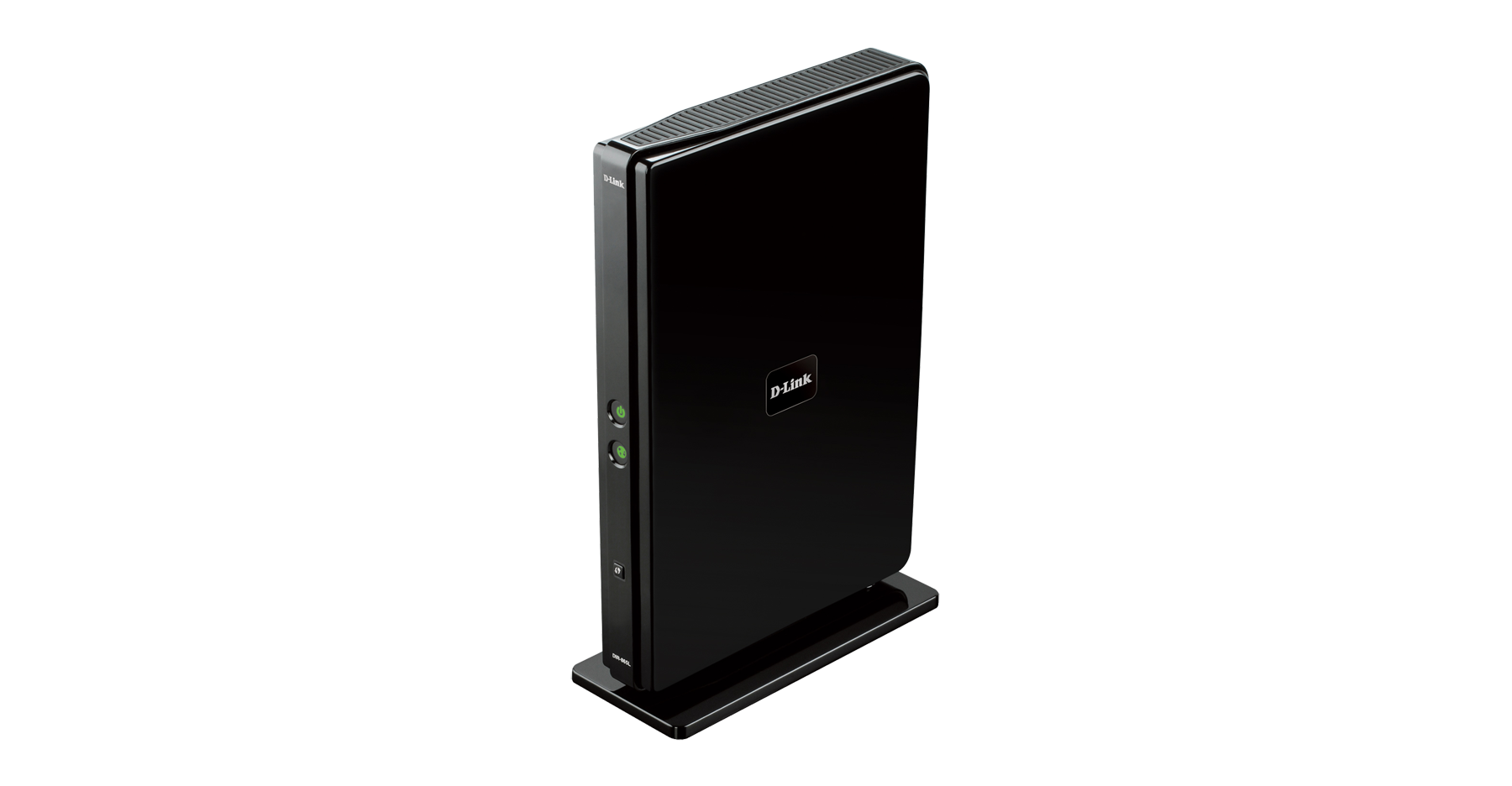
DIR-865L A1 (Broadcom BCM4706)

Caratteristiche (fonte scheda tecnica)
Connectivity:
• 802.11 a/b/g/n/ac Wireless LAN for wireless compatibility with all previous standards
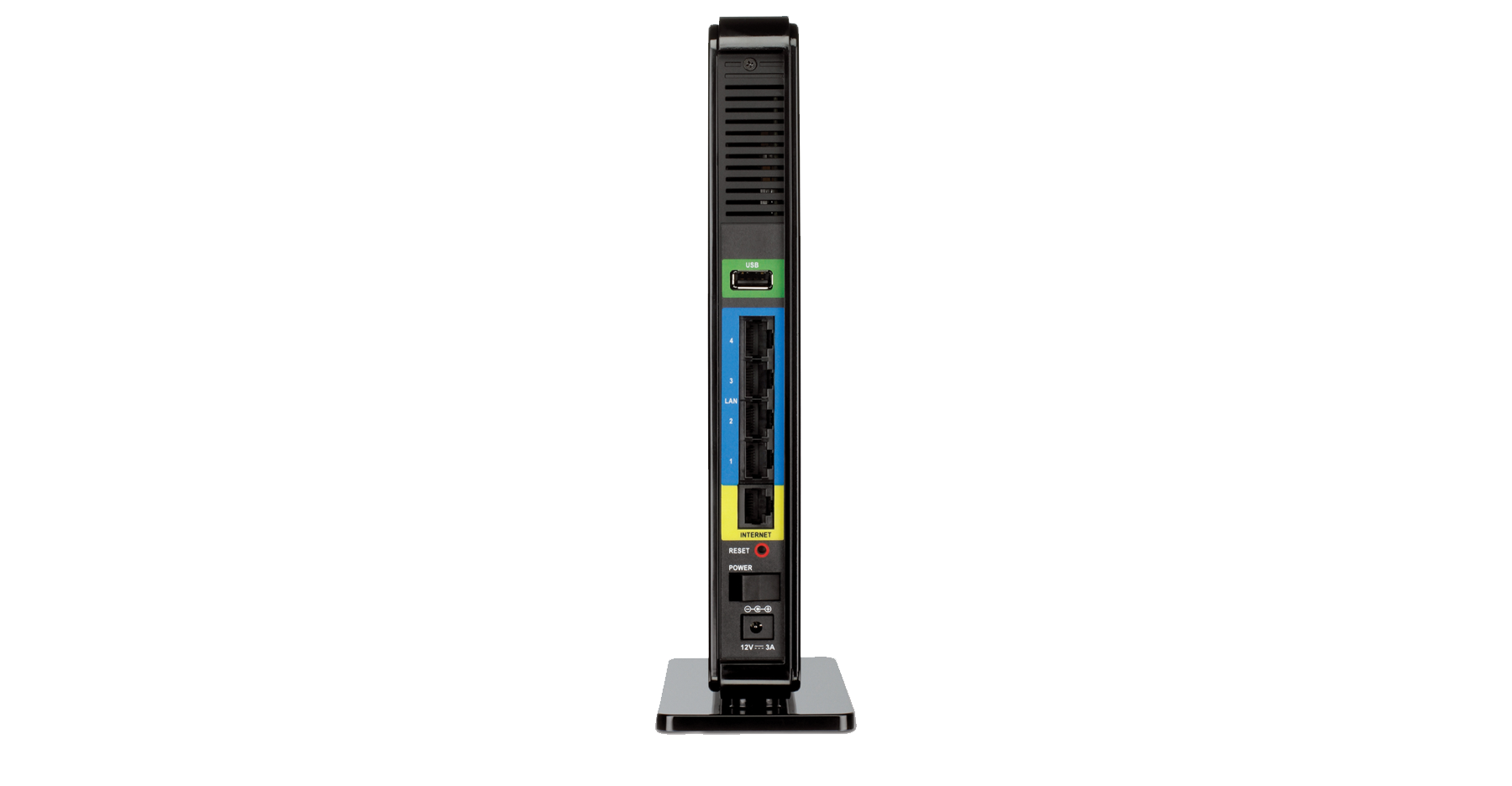
• Gigabit WAN and LAN ports for high-speed wired connections
• USB 2.0 port to connect storage drives and printers for sharing
• Six antennas with beamforming technology to optimise your wireless coverage
mydlink™ Cloud Services:
• You can monitor website visits and intrusion attempts from wherever you are.
• Remotely view and manage your network over the Internet
• Access your network through the free mydlink™ app
Mobile Apps:
• mydlink™ Lite app helps you access, manage and view your network remotely
• SharePort™ Mobile app lets you stream and share media files and documents across your network
• QRS Mobile app to set up your network using a mobile device
Security:
• WPA & WPA2 wireless encryption protects the network from intruders
• Wi-Fi Protected Setup (WPS) securely adds devices to your network at the push of a button
Panoramica (Fonte D-Link IT 2013)
Upgrade to Wireless AC Performance
The Cloud Gigabit Router AC1750 creates a blazing fast home network that connects all of your computers and mobile devices to your broadband Internet connection, 6x faster than the previous standard. Concurrent dualband 802.11ac brings you the future of high-bandwidth wireless connectivity allowing you to stream HD video, make Internet calls, and surf the Internet from every corner of your home without interruption. The Cloud Gigabit Router AC1750 is mydlink™ Cloud enabled, so you can effortlessly access and view your network no matter where you are. This router is also backwards compatible with earlier wireless standards.
Fast and reliable home networking
This router creates the fastest home network possible today connecting all of your computers and mobile devices to your broadband Internet connection. Concurrent dualband 802.11ac brings you the future of high-bandwidth wireless connectivity allowing you to stream HD video, make Internet calls, and surf the Internet from every corner of your home without interruption. Gigabit Ethernet ports provide high-speed wired connections for up to four PCs or other devices. It’s easy to-use, and comes IPv6-ready for a reliable network today and tomorrow.
Greater coverage and speeds with Wireless AC
This router uses the latest Wireless AC Technology, which can provide transfer rates of up to 1.3Gbps **(1300AC + 450N). Faster gigabit wireless speeds allow you to download content and synch files 6 times faster than the previous standard and provide you with whole home coverage. The router operates on both the 2.4 GHz band and 5 GHz wireless bands at the same time using concurrent dualband technology and six internal antennas. This allows you to browse the web, chat and email using the 2.4 GHz band, while simultaneously streaming digital media, playing online games, or making Internet phone calls on the 5 GHz band.
Stay informed and protected with mydlink™ Cloud Services
This router gives you complete control by allowing you to monitor who is connecting to your network, which sites they are visiting and block unwanted visitors. By downloading the free mydlink™ app you can monitor your home network remotely.
Share and stream files with SharePort™ Technology
Connect a USB storage device to your Cloud Gigabit Router AC 1750 to create a shared storage space, making it easy to access and share files between computers and devices connected to your network. Plug in a USB hard drive to stream your library of videos and music to your laptop. Plus, the SharePort™ Mobile app for iOS and Android™ devices allows you to back up photos and videos stored on your device. You can even customise your shared storage space by creating separate accounts to control access to the USB drive, so you can share your music with everyone but keep your personal files private. This Cloud Router can also be used as a media server for your home to stream media stored on your USB storage drive to any DLNA compliant player like the Boxee Box by D-Link.
** Maximum wireless signal rate derived from IEEE standard 802.11ac (draft) specifications which are subject to change. Actual data throughput will vary. Network conditions and environmental factors, including volume of network traffic, building materials and construction, and network overhead, lower actual data throughput rate. Environmental factors will adversely affect wireless signal range.
Specifiche (Fonte D-Link IT 2013)
Device interfaces
• 802.11 a/b/g/n/ac Wireless LAN
• Four 10/100/1000 Gigabit LAN ports
• 10/100/1000 Gigabit WAN port
• USB 2.0 port
Standards
• IEEE 802.11ac (draft)
• IEEE 802.11n
• IEEE 802.11g
• IEEE 802.11b
• IEEE 802.11a
• IEEE 802.3
• IEEE 802.3u
Antenna Type
• 6x internal antennas with beamforming technology
Minimum System Requirements
• Windows 7/Vista/XP SP3 or Mac OS X 10.4 or higher Microsoft Internet Explorer 6 or higher, Firefox 1.5 or higher, or other Java-enabled browser
• CD-ROM
• Ethernet network interface
• Cable or DSL modem
• Subscription with an Internet Service Provider
mydlink™ Features
• Remote Management
• View current upload/download bandwidth
• View currently connected clients
• View web browsing history per client
• Block/unblock client network access
• Manage wireless network details
• Accessible through a web browser or iOS or Android™ mobile app
Mobile App Support
• mydlink™ Lite
• SharePort™ Mobile
• QRS Mobile
Wireless Security
• WPA & WPA2 (Wi-Fi Protected Access)
• Wi-Fi Protected Setup (WPS) PIN/PBC
Dimensions
• 32 x 167 x 240 mm (1.26 x 6.57 x 9.45 inches) (without pedestal)
• 70 x 167 x 252 mm (2.76 x 6.57 x 9.92 inches) (with pedestal)
Weight
• 0.55kg
Power
• Input: 100 to 240 V AC, 50/60 Hz
• Output: 12 V DC, 3 A
Temperature
• Operating: 0 to 40 °C (32 to 104 °F)
• Storage: -20 to 65 °C (-4 to 149 °F)
Humidity
• Operating: 0% to 90% non-condensing
• Storage: 5% to 95% non-condensing
Certifications
• FCC Class B
• CE Class B
• C-Tick
• DLNA
• IPv6 Ready
• Wi-Fi Certified
• Wi-Fi Protected Setup (WPS)
• Wi-Fi Multimedia (WMM)
• Compatible with Windows
Documentazione
Scheda tecnica Altro
Guida installazione Altro
Manuale utente Altro
Mini guide essenziali di configurazione
Visuale esterna del prodotto in 3D a 360°
 [Dismesso!]
Software
Programmi di utilità/App SharePort & SharePort Plus
Codice sorgente GPL
Firmware
WORLDWIDE (Mondiale)
DIR-865L A1 1.20 build 01-01_HOTFIX 20200511 con nota edizione
DIR-865L A1 1.20 build 01-01_HOTFIX 20181207 con nota edizione cumulativa + fw intermedio & info per la transizione
DIR-865L A1 1.20 build 01_HOTFIX 20180227 con nota edizione + fw intermedio & info per la transizione
DIR-865L A1 1.10 build 01_HOTFIX 20180125 con nota edizione + fw intermedio & info per la transizione
DIR-865L A1 1.08 build 01 20150419 con nota edizione (ultimo firmware NON CRIPTATO da usare per il RECOVERY)
StarHub Customers (Singapore)
DIR-865L SHC
Abbandono del protocollo FTP nei browser per PC
Supporto internazionale D-Link
Pagina prodotto: Italia, Medio Oriente, Australia
Repositorio scaricamenti: Europa, Germania, Polonia, Singapore, Australia, Canada, USA, US-SEC_ADV
Supporto Tecnico: TW TSD, SG Legacy, Taiwan, Canada, US Legacy, America Latina, IT mydlink
